HDD bore planning software built around the way crews actually drill.
BoreWise helps horizontal directional drilling crews build rod-by-rod bore plans around utilities, targets, rod length, pitch limits, casing requirements, field actuals, and exportable job records.
What BoreWise Does
BoreWise brings planning, utility-aware routing, target windows, Copilot adjustments, actual pitch tracking, and profile exports into one field-ready workflow.
Utility-Aware Bore Planning
Enter known utility conflicts and required clearances so BoreWise can build the bore path around them instead of only checking the plan afterward.
Rod-by-Rod Guidance
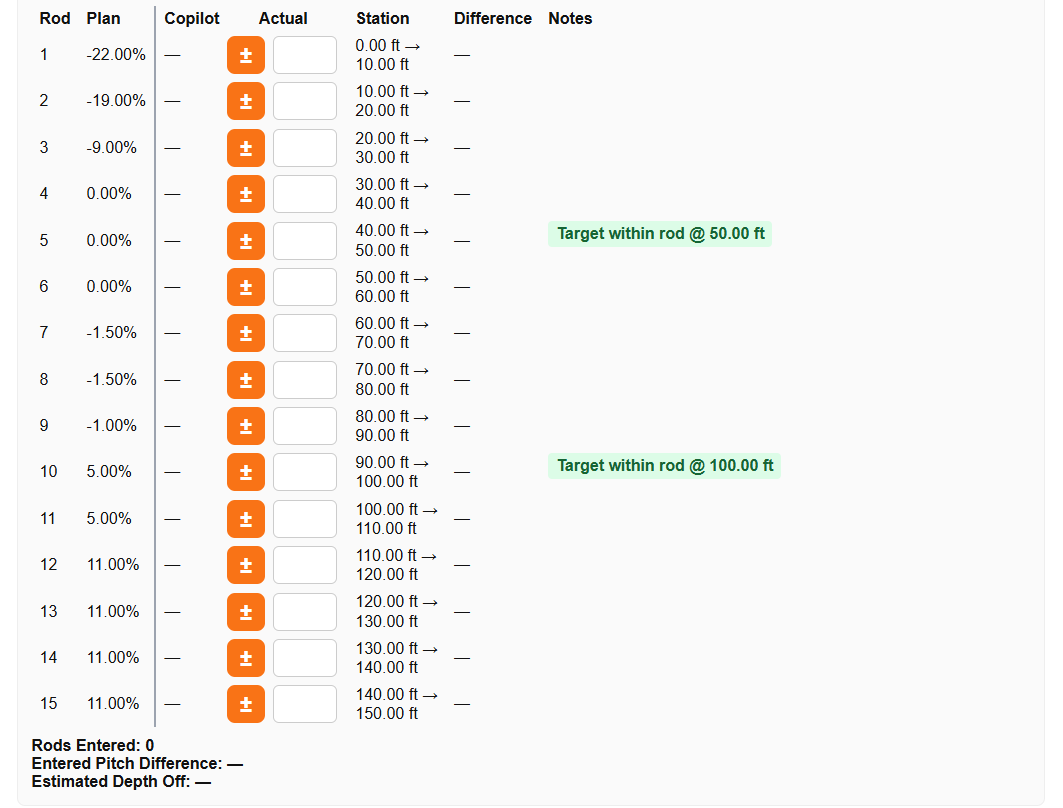
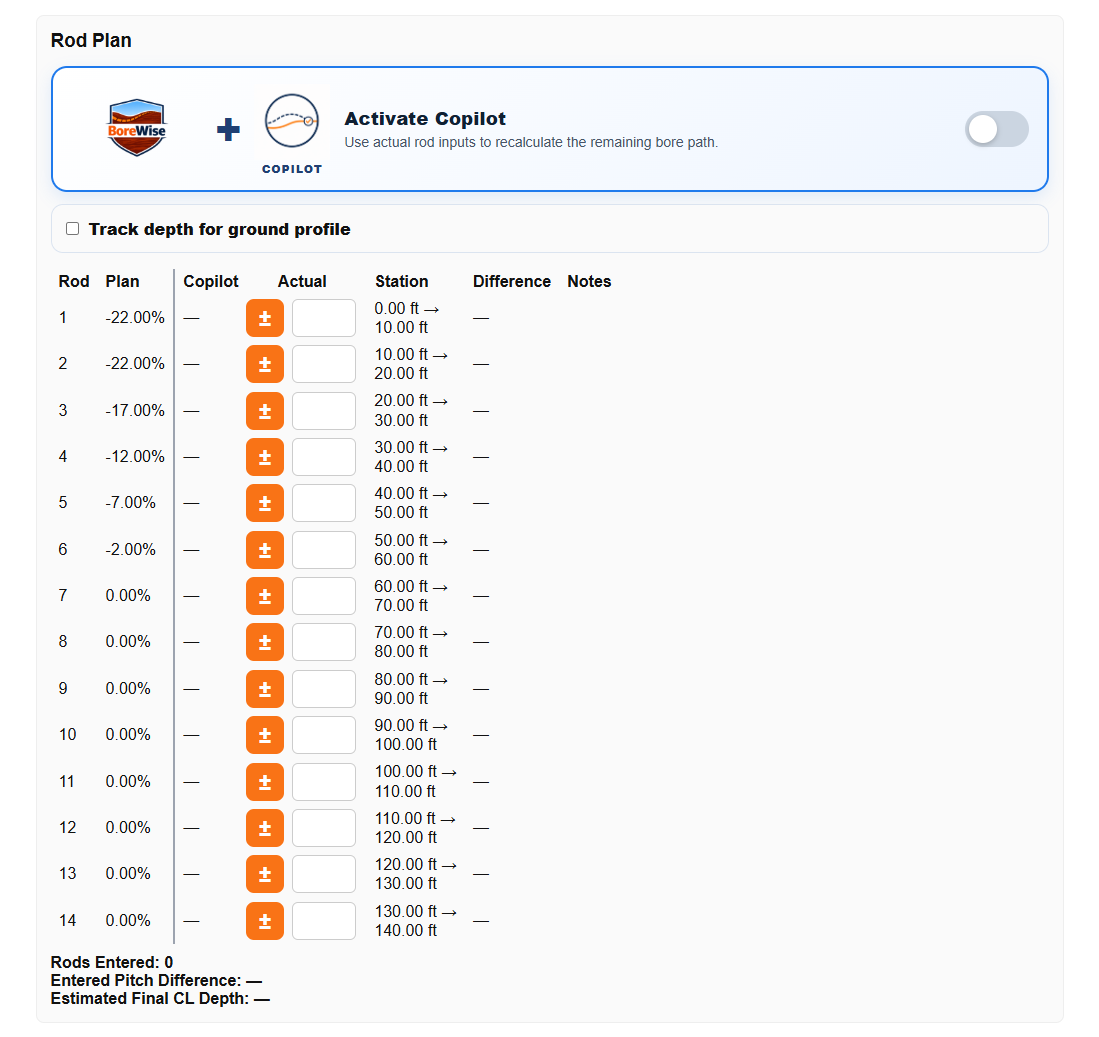
Break the bore into individual rods with stations, pitch, start depth, end depth, notes, and target information.
BoreWise Copilot
Adjust the active plan when the field changes while preserving the original plan for comparison.
Profile Exports
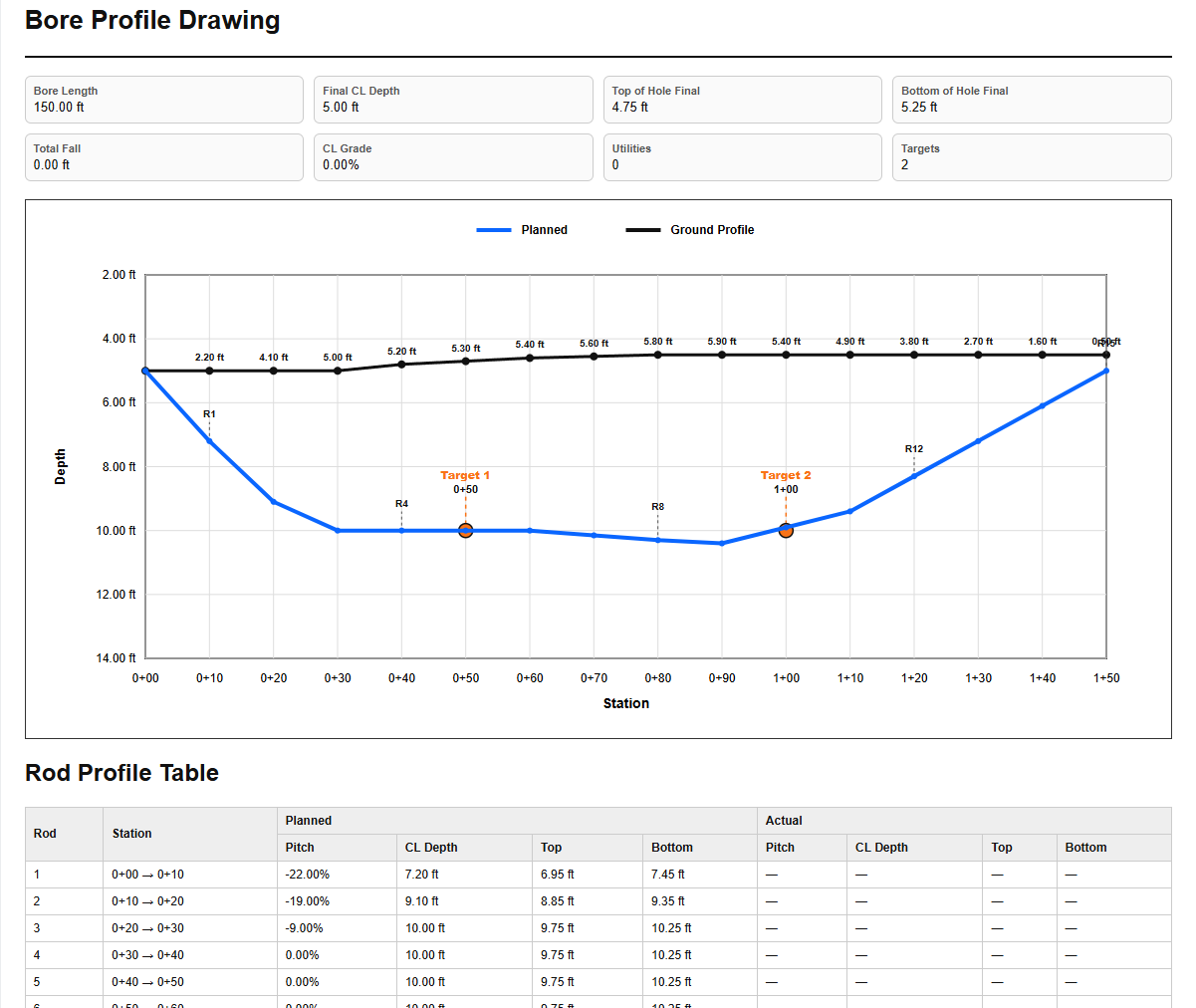
Create clean bore profile exports showing ground, utilities, targets, planned path, actual path, and job information.
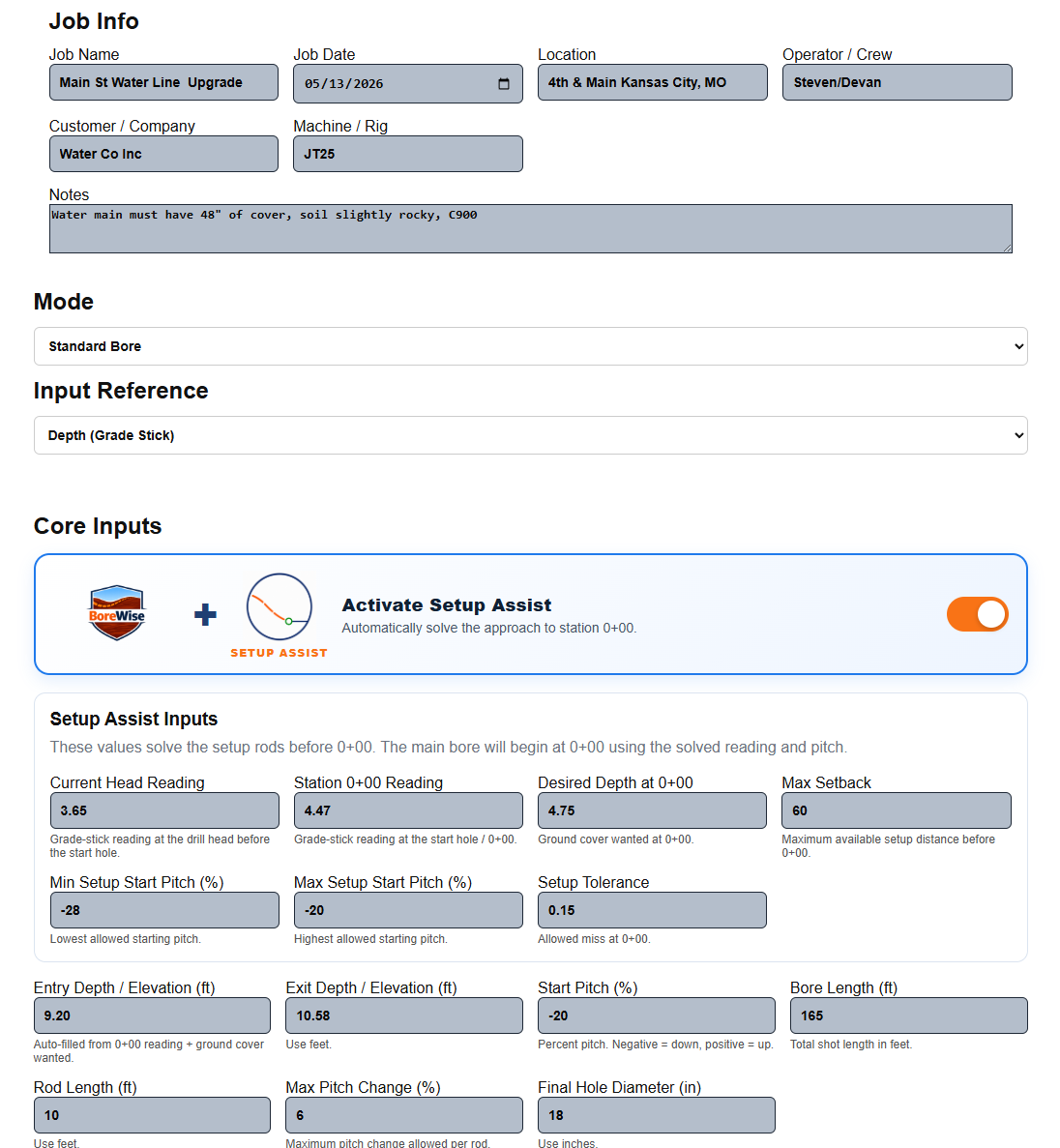
Start with the bore information crews already know.
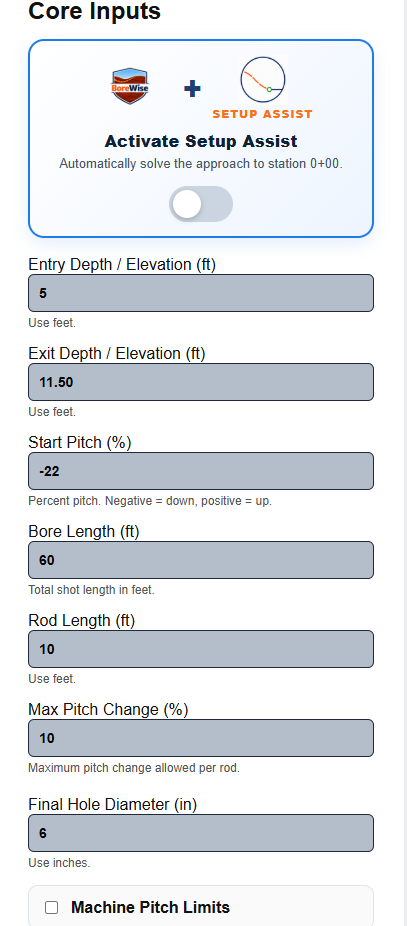
BoreWise begins with practical HDD planning inputs: bore length, rod length, entry depth, exit depth, entry pitch, exit pitch, pitch limits, and optional planning preferences. The software turns those inputs into a clear bore path instead of leaving the crew to rough it out by hand.
- Build plans from common field measurements.
- Control rod length, pitch limits, and entry or exit conditions.
- Use preferences to shape how aggressive or conservative the plan should be.
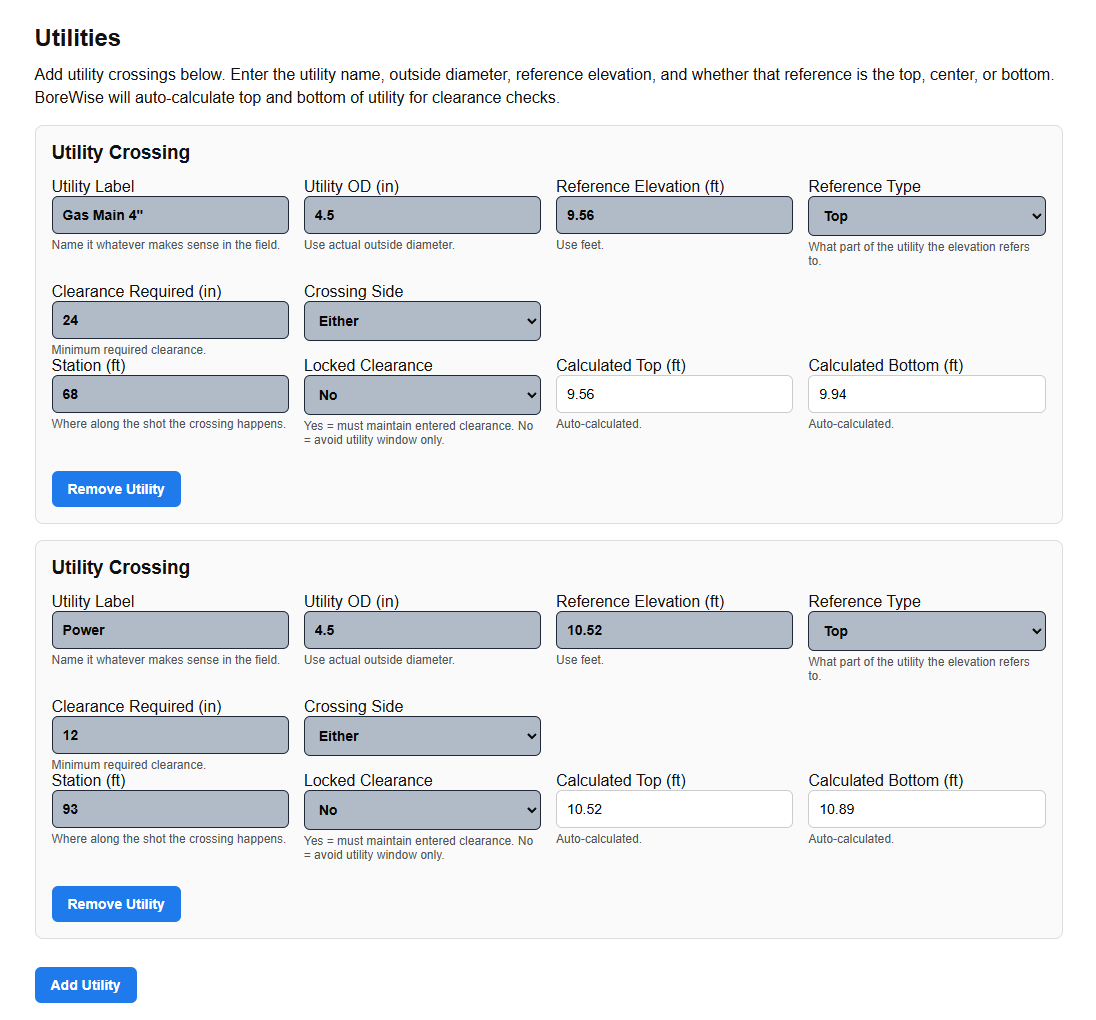
Plan around utilities before you drill.
BoreWise does not treat utilities as an afterthought. Users can enter utility station, depth, window, clearance requirement, and whether the bore needs to pass over, under, or either. Those utility constraints are part of the planning logic so the bore path can be built to avoid conflicts.
This is one of the biggest differences between BoreWise and a basic calculator. The goal is not just to ask, “Did the path clear?” The goal is to create a path that is planned around known utility conflicts from the start.
- Plan above or below utilities with required clearance.
- Use utility windows when top and bottom depth matter.
- Reduce guesswork on difficult underground crossings.
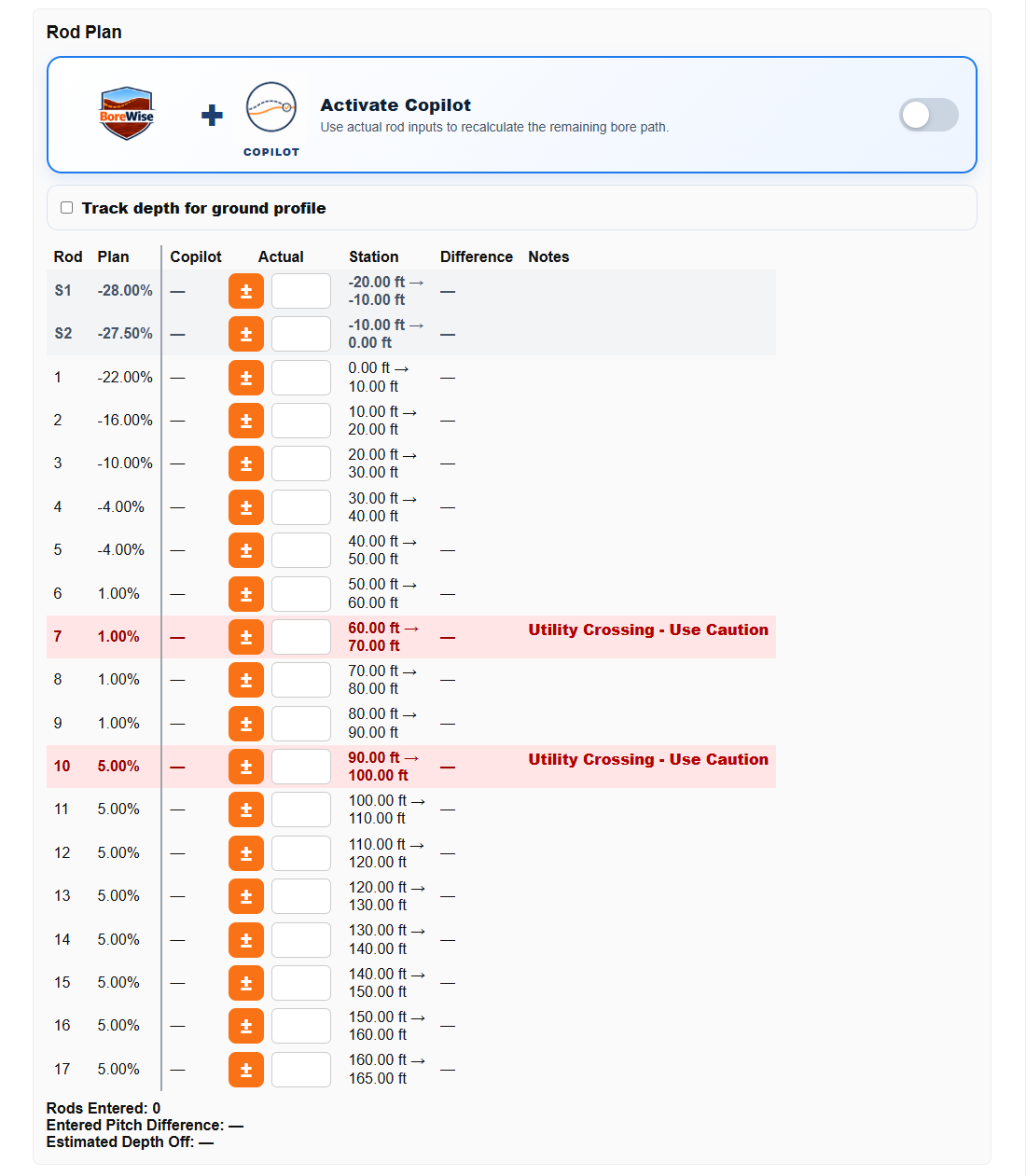
Get a rod-by-rod plan crews can actually follow.
BoreWise breaks the bore into individual rods with station ranges, planned pitch, start depth, end depth, and notes. That makes the plan easier to follow in the field and easier to review with operators, locators, foremen, or project managers.
- See the plan rod by rod.
- Track station and depth movement through the bore.
- Call out utility rods, target hits, setup rods, and important notes.
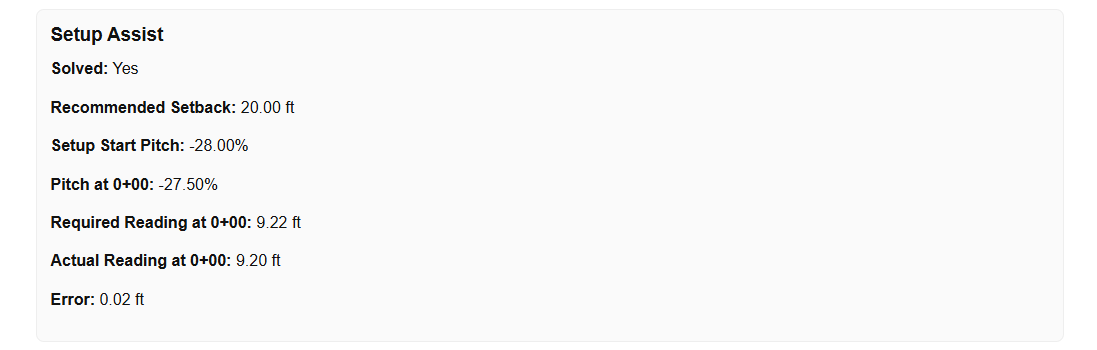
Use Setup Assist when the beginning of the bore is the hard part.
Some bores are difficult before the main path even starts. Setup Assist helps create the transition rods needed to get from the entry condition into a workable plan. That gives crews a cleaner starting point when entry pitch, depth, or early constraints make the shot harder to solve manually.
- Generate setup rods before the main plan.
- Handle difficult entry transitions.
- Keep the setup portion clearly labeled.
Hit target windows instead of chasing one perfect point.
Real jobs often need the bore to come out inside a workable zone, not at one exact mathematical point. BoreWise supports target windows so crews can plan around exit ranges, fusion areas, tie-in areas, and other field conditions where a practical range matters more than a single point.
- Add target stations and depth windows.
- Plan for practical exit or tie-in ranges.
- Show target hits directly in the plan.
Use BoreWise Copilot to adjust without losing the original plan.
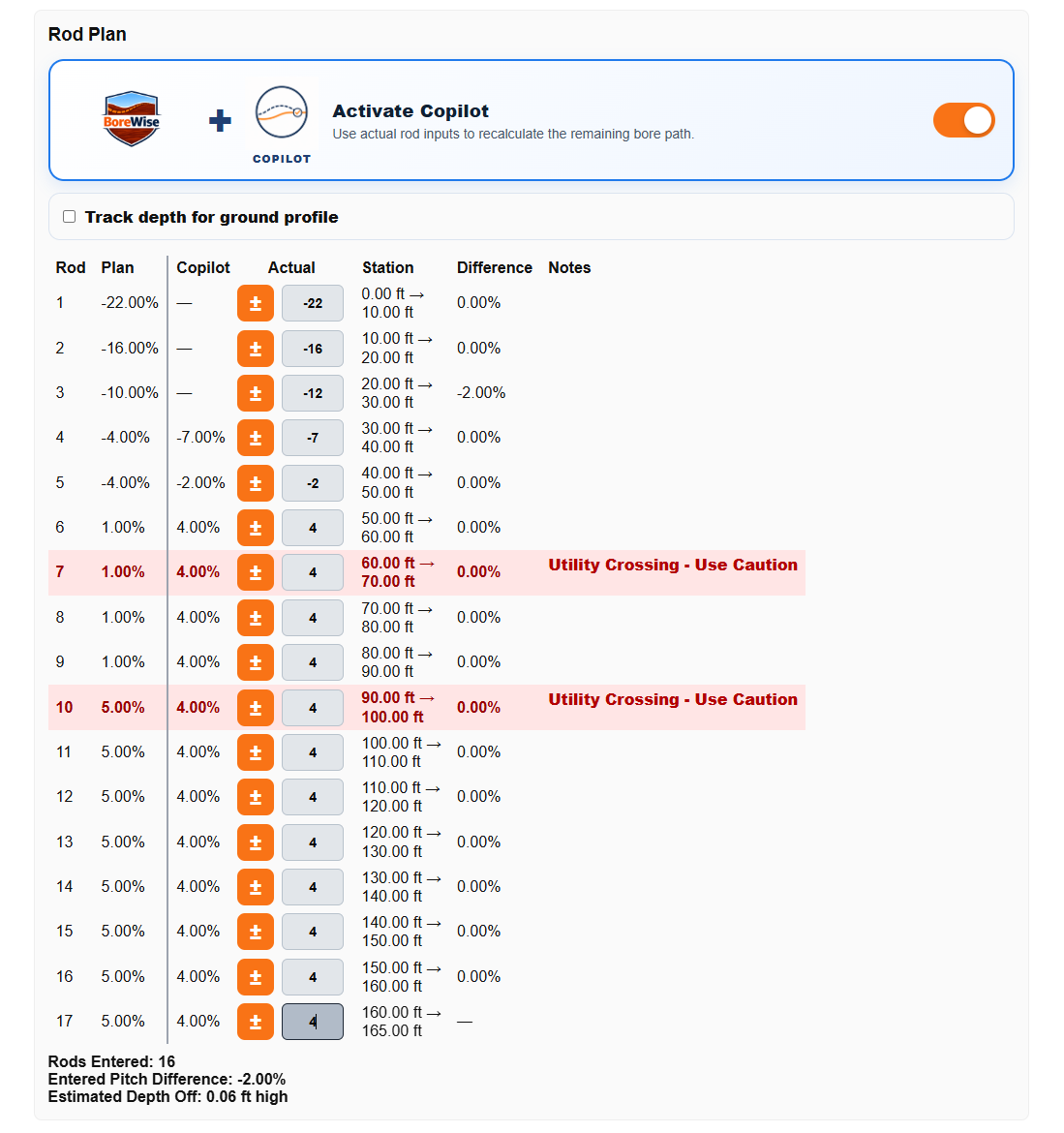
Field conditions change. Actual pitch readings may not match the plan, steering may need to be adjusted, or the crew may need a better active path while keeping the original plan visible. BoreWise Copilot gives the plan an adjustment layer without destroying the starting plan.
Copilot adjustments can appear separately from the original planned values, making it easier to see what changed and compare actual field performance against the best current path.
- Preserve the original rod-by-rod plan.
- Show adjusted guidance separately when needed.
- Compare actuals against the active plan.
Plan for backream conditions, not just pilot bore math.
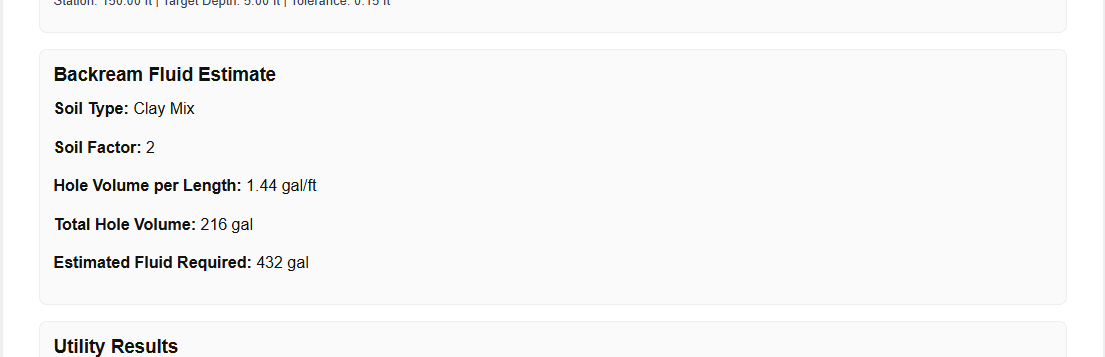
BoreWise includes backream planning support so crews can account for the final hole size and keep the installation plan connected to the pilot bore. Instead of only planning the first pass, BoreWise helps users think through how the bore will be opened up for the product being installed.
- Enable backream planning when the job requires it.
- Account for final hole diameter during planning.
- Keep pilot bore planning and installation planning connected.
Export visual bore profiles for review and records.
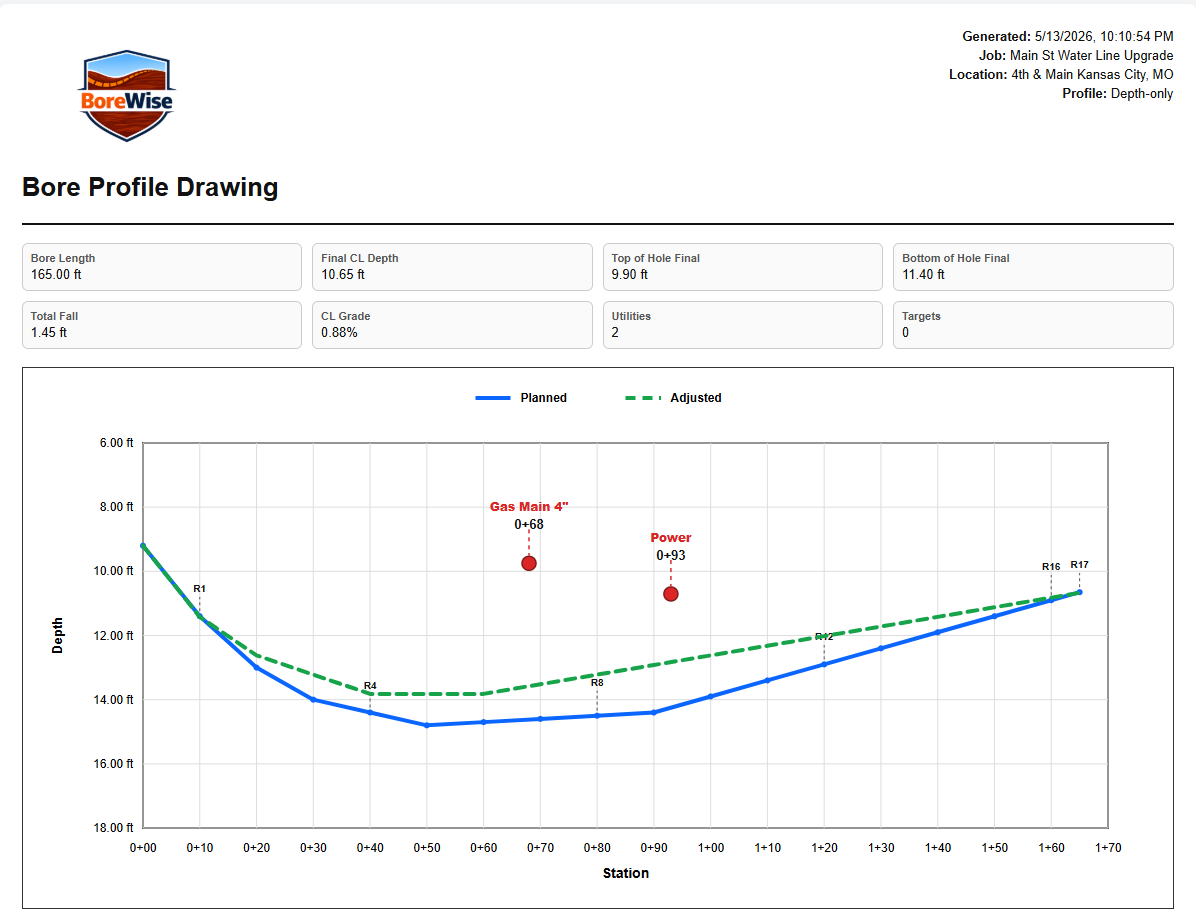
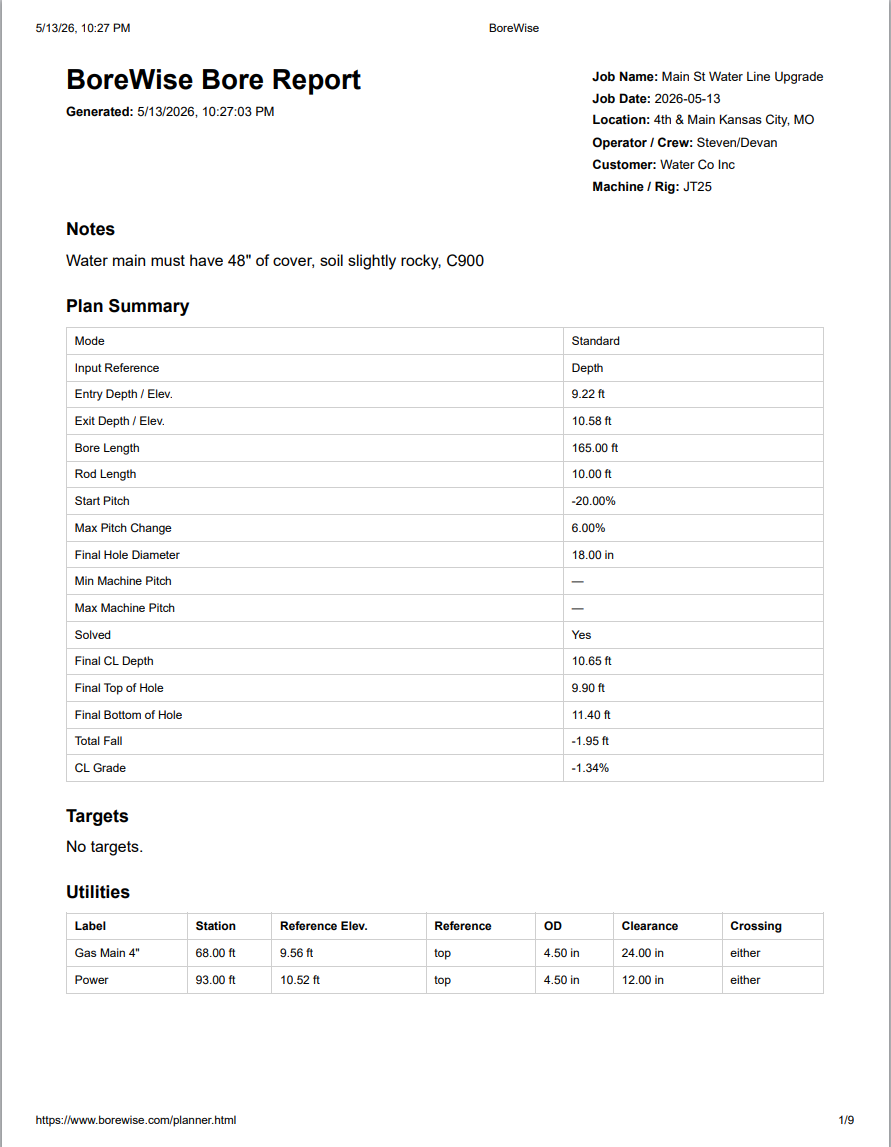
BoreWise can turn the bore plan into a visual profile showing ground, utilities, targets, planned path, actual path, and important job information. That makes the plan easier to review, explain, save, and share with the people who need to understand the shot.
- Show planned path, utilities, targets, and ground profile.
- Include actuals when they are saved and available.
- Create cleaner documentation for planning and review.
Built for more than one style of shot.
BoreWise supports more than a simple entry-to-exit calculation. Crews can work with casing bores, backream planning, saved preferences, PDF-style reports, profile exports, and mobile field use as the workflow grows.
Built for the Field
Saved Plans
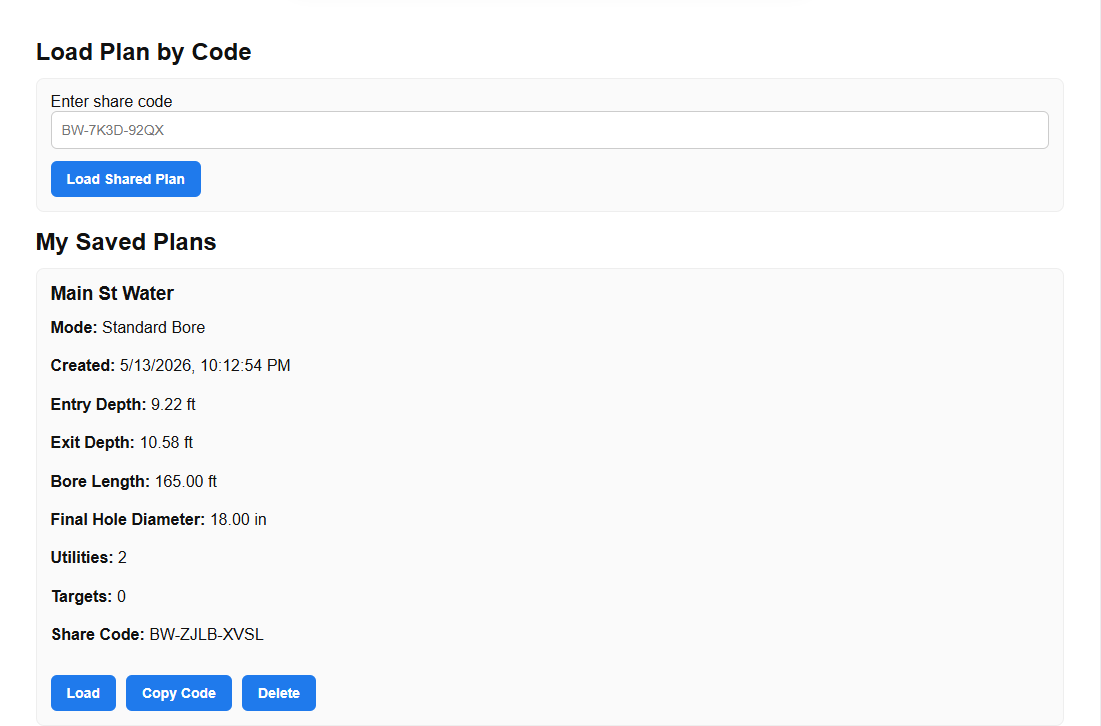
Save bore plans, reopen them later, update them, and keep records for review or future work.
Mobile-Friendly Layout
Use BoreWise from a phone or tablet in the field instead of being tied to office-only software.
Planning Preferences
Shape how BoreWise solves the bore by adjusting planning behavior and keeping the workflow practical.
Depth-Based Profile Data
Use depth information to help build cleaner ground/profile exports and better field documentation.
Who BoreWise Is For
BoreWise is built for HDD contractors, drill operators, locators, foremen, project managers, utility contractors, and crews that need a faster way to plan, adjust, and document directional boring shots.
What is BoreWise used for?
BoreWise is used to build and review horizontal directional drilling bore plans with rod-by-rod pitch guidance, utility-aware constraints, target windows, actual tracking, and profile exports.
Does BoreWise plan around utilities?
Yes. Users can enter utility station, depth, clearance, and over/under requirements so BoreWise can use those constraints while building the bore path.
Can BoreWise export a bore profile?
Yes. BoreWise can create visual profile exports that show the bore path, utilities, targets, ground information, and actual path information when available.
Does BoreWise replace engineering approval?
No. BoreWise is a planning and review tool. It does not replace engineering judgment, site-specific requirements, utility owner requirements, safety procedures, or local regulations.
Build the bore plan before the drill starts.
Use BoreWise to plan around utilities, hit target windows, guide rods, track actuals, adjust with Copilot, and export a cleaner profile for review.